Create a backup
Choose Back up to folder in Settings and select a destination. Use the backup to transfer presets, tone files and saved loops to another device. When it finishes, check that the backup folder was created at the location you selected.
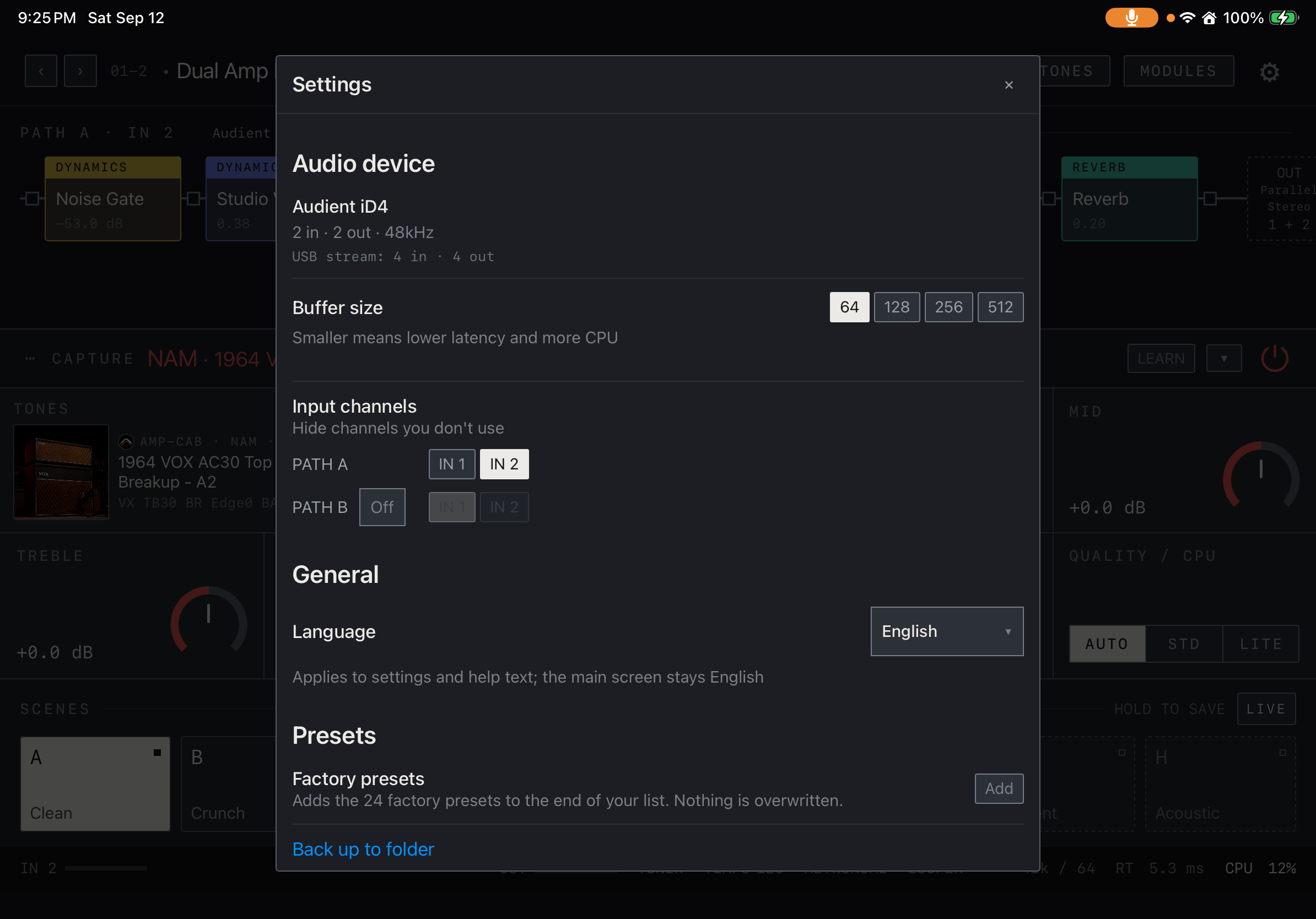
Find it on screen
- Tap Back up to folder under Presets near the bottom of Settings.
- This view shows the backup entry point. Scroll farther down in Settings to find Restore from folder.
Restore on another platform
Transfer the folder to another iPad, iPhone or Mac and select it with Restore in Settings. Recheck device-specific audio and MIDI connections. There is no automatic iCloud or live device synchronization. Sign in to external services separately on each device.
Keep and verify backups
Make a dated backup before important changes. After restoring on a new device, check preset names, required tone files and saved loops. Verify compatibility before restoring a backup from a newer app into an older version, and keep the earlier backup too.